Chapter
Messages
Messages is the team conversation: channels, groups and direct messages, with calls built in.
Start a conversation
So a topic gets a home instead of scattering across direct messages.
How to do it
- Press the “+” above the conversation list.
- Pick Direct, Group or Channel, depending on how many people it reaches.
- Name it, add whoever takes part, and choose whether the channel is public or private.
How to undo it. A channel is archived, not destroyed: it sits in the “Archived” tab, read-only, and unarchives from its own row.
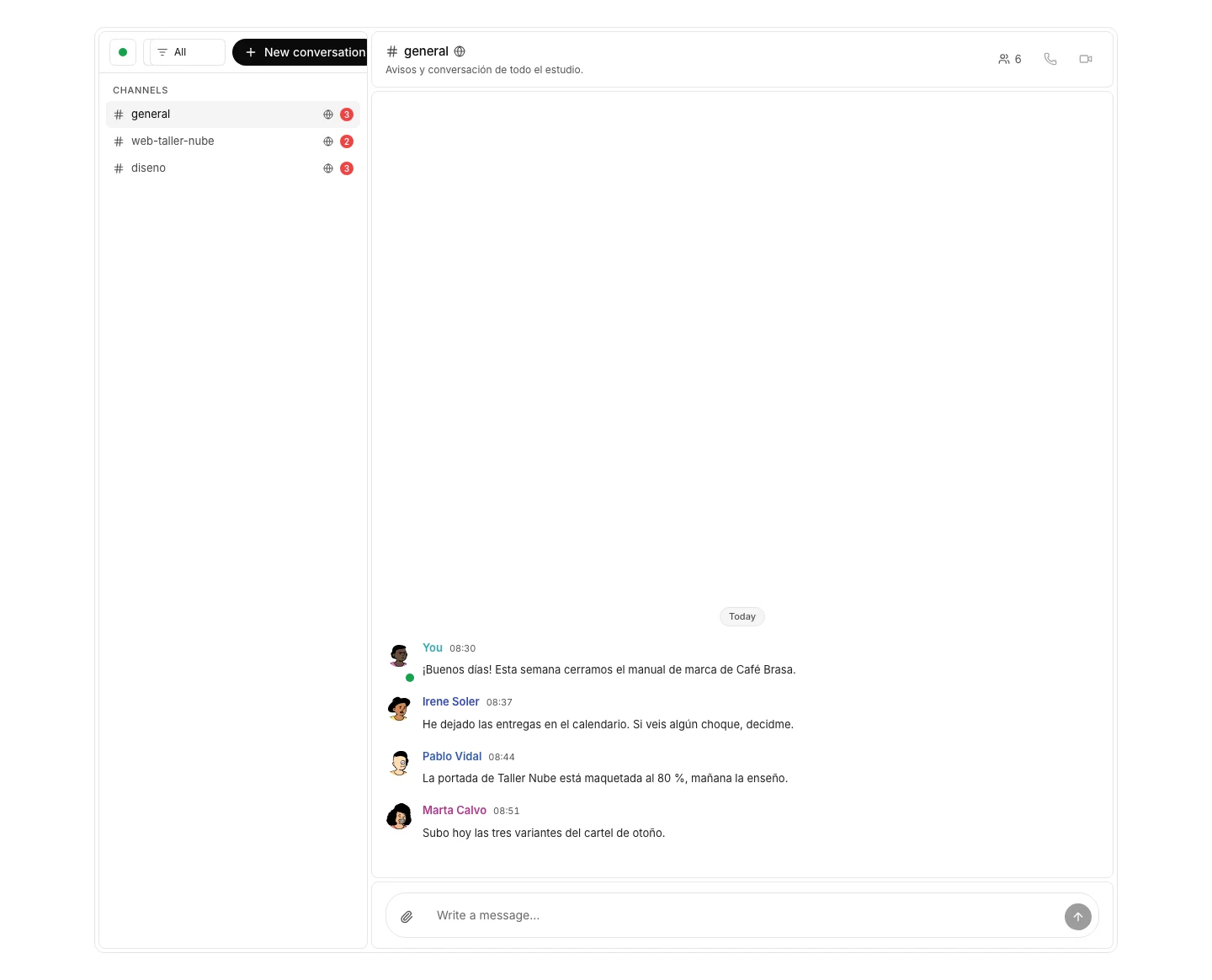
Join a public channel
To walk into a conversation that is already happening, without waiting to be added.
How to do it
- Press “Channels” in the left column, below “Messages”.
- Find the channel by name and press to join.
How to undo it. You can leave a channel from its settings at any time, and walk back in while it is public.
Mention someone
So the notification reaches them without a separate message.
How to do it
- Type “@” in the message and pick the person from the list that opens.
- Send: the notification arrives even with the channel closed.
- In a direct message “@” offers nobody: the other person already knows.
How to undo it. A message can be edited or deleted from its actions; editing leaves the edited mark.
Reply in a thread
To answer one message without cutting across the channel.
How to do it
- Hover over the message and press “Reply”.
- The thread opens alongside and the replies hang off that message.
Pin a message
So what matters stays on top while the channel keeps moving.
How to do it
- Open the message actions and press pin.
- Choose how long it lasts: forever, or until a date.
- Pinned messages show in the band at the top of the channel.
How to undo it. A pin comes off from the message itself, and dated pins expire on their own.
Share a file
So the document lives next to the conversation that needs it.
How to do it
- Press “Attach file” next to the message box and pick the file.
- Send the message: anyone in the channel can download it.
Call from the conversation
To move from typing to talking when writing costs more than speaking.
How to do it
- Open the conversation and press the phone for voice, or the camera for video. Calling comes with the Team edition: on Free both buttons stay switched off and say so on hover.
- Everyone in the channel gets a ring and joins from there.
- The call is then listed in Meetings, with its link.
How to undo it. Hanging up ends the call; the meeting stays in Meetings and whoever created it can delete it.
Talk to someone from another organization
To deal with a client or a partner without leaving for another tool.
How to do it
- Press “Message someone outside” above the list.
- Search the person by name and open the direct message.
- Both organizations have to allow it; the search says so when one does not.