Chapter
Reminders
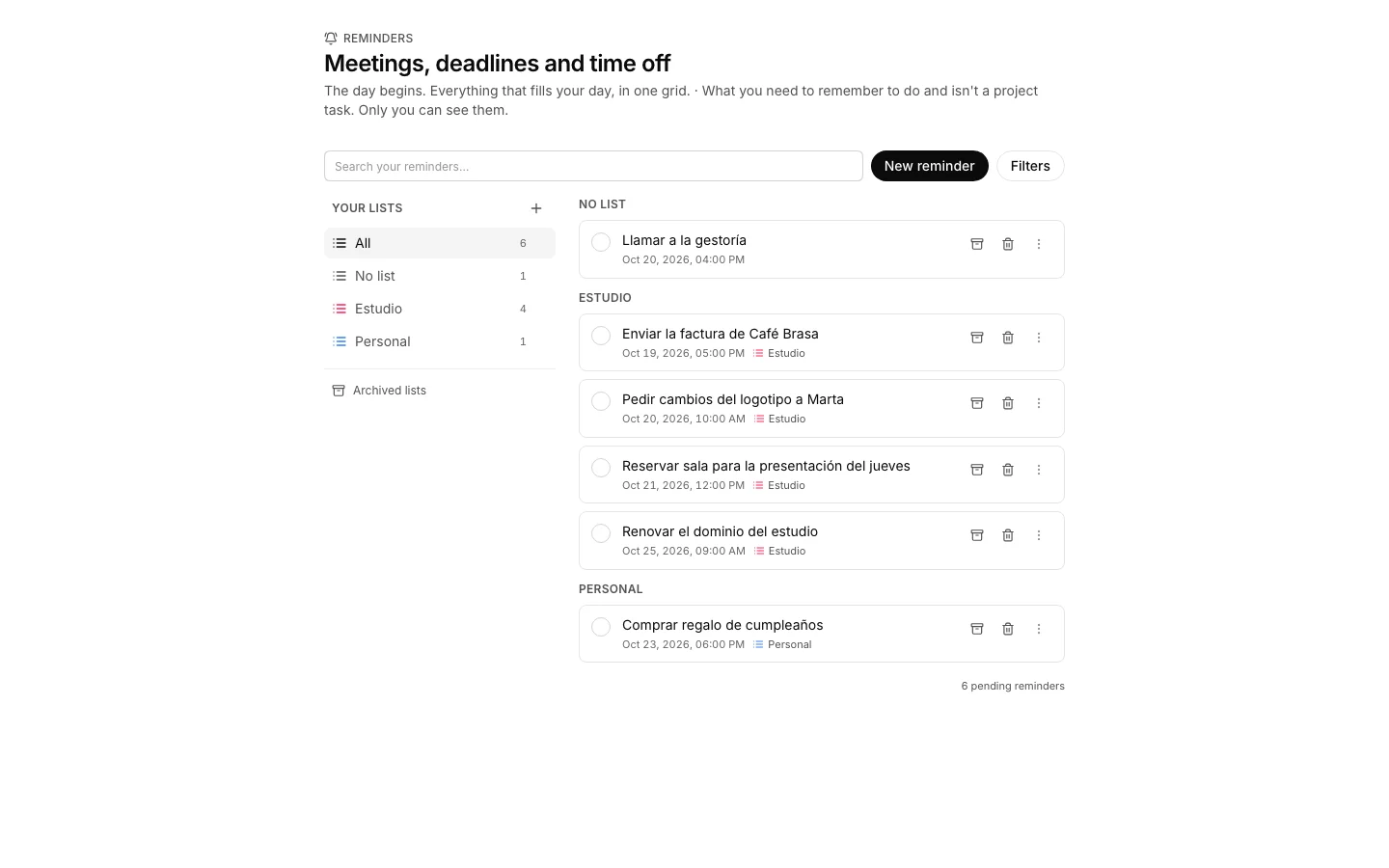
Reminders is your personal list inside the organization: what has to get done and is not a project task. Only the owner sees them, not even an administrator.
Jot down a reminder
So something that has to get done stops living only in your head.
How to do it
- Press “+” on the bar and type what it is about: one line, not a form.
- It is born due an hour from now, on the hour, and with no list.
- Press it to set the real time, the list and the rest.
How to undo it. A reminder is ticked off, archived or deleted from its own row; ticking and archiving are undone, deleting destroys it.
Tick off what you already did
So the list shows what is left and not six months of finished things.
How to do it
- Press the checkbox on the left: the reminder is struck through and leaves the pending ones.
- If you are not going to do it but it is in the way, archive it: it steps aside without claiming it was done.
How to undo it. Press the checkbox again and the reminder goes back to pending; anything archived is unarchived the same way.
Change when it goes off
So it sounds when you can actually get to it.
How to do it
- Press the reminder to open its action row.
- Change the date and the time, and while you are there the location, the list or the notes.
- Save: it reaches you at its hour, and if you push it back it sounds again at the new one.
How to undo it. The date and the time can change as many times as you want, and the alert sounds again at the new hour.
Create a list
To keep the doctor’s errands apart from the move without mixing everything.
How to do it
- Press “New list” on the bar and give it a name, a color and an icon.
- The left column shows each list with what it still has pending.
- A reminder moves to another list from its action row.
How to undo it. An archived list leaves the column, but its reminders are not lost: they stay grouped at the end and return to their place when it is unarchived.
Find one among all of them
To reach something you wrote down weeks ago.
How to do it
- Type in the search box on the bar: it looks at the text, the notes and the location.
- Under “Filters” you pick pending, done or all of them.
Bring back an archived list
To return to something you put away months ago.
How to do it
- Press “Archived lists” on the bar.
- Make it active again from its “⋯” and the column gets it back with everything it held.
How to undo it. Unarchiving it puts the list back in the column exactly as it was.